

How to Run a Workshop – Bootcamp Resources
BOOTCAMP RESOURCES
This page contains information in addition to and support of what we covered in our workshop.
While working on your action plans, reference the additional information on this page.
I would love to hear from you if you think you have something valuable to add to this page.
Bookmark this page in your browser to keep referring back to it.
The information below has been categorised in the same format as the modules in your workbook:
- The Heartbeat: Understanding Your Why
- The Groundwork: Insurance
- The Groundwork: Policy Statements
- The Groundwork: Costs to Run a Workshop
- The Groundwork: Bookings System
- The Delivery: Mastering Facilitation
- The Echo: Amplifying Your Workshop’s Impact
- The Spotlight: Marketing
- Stay Connected
Start small and grow big …

THE HEARTBEAT: UNDERSTANDING YOUR WHY
Defining your core values and understanding your ‘Why’ can be tricky if you have not thought about them before. Below are some resources that might help you uncover what they are:
- “Start with ‘Why'” – TED talk from Simon Sinek
- Brené Brown – Living Into Our Values
- MindTools – What Are Your Values?
- Stephen Covey – The 7 Habits of Highly Effective People” – a great book and online learning resource
There are many online resources, some free and some paid. Do your own online search for “help me define my core values” to see what other resources are available.
THE GROUNDWORK: INSURANCE
You need to do your own research to determine the level of cover you need. Below are links to the organisations we discussed during our workshop:
And don’t forget to research your insurance needs with regard to the physical tools, materials and equipment you will use in your workshops, including when and if you travel with this equipment.
THE GROUNDWORK: POLICY STATEMENTS
Below are links to the terms and conditions that detail my workshop payment, refund, attendance and other policies. I have developed these over time, which are specific to my business needs. Reference them to read the situations I have referenced, then write your own for your specific needs. Consult a professional if you need help.
THE GROUNDWORK: COSTS TO RUN A WORKSHOP
I love a good spreadsheet! If you’re more comfortable detailing your budget on paper, great. If you want to utilise spreadsheet software and don’t already do that, these are good options:
- Microsoft Excel – free trial
- Google Sheets – a spreadsheet application offered for free as part of the Google suite of online applications.
- Numbers (on Mac) – comes pre-installed on new Apple Macintosh computers
If you’ve never used spreadsheets, many online resources and tutorials exist. Do an online search for “how do I create a budget in [insert software name]” and follow the links.
THE GROUNDWORK: BOOKINGS SYSTEM
You decide how you want to manage your workshop bookings. There are pros and cons when it comes to doing it yourself or using an online service. Below are links to four online event booking platforms. Research each to understand their fees and the different features each service gives:
There are other online platforms, so do some research. If you want to use a third-party service, like the ones listed above, consider using an online platform with a good reputation, not just the cheapest fees. Your students need to trust the system as much as you do.
THE DELIVERY: MASTERING FACILITATION
This workshop isn’t about teaching you how to teach, but it does touch on some workshop facilitation basics. Below are 2 links too online references about different learning styles:
- RMIT University – Understanding learning styles
- gotafe Victoria – How do you learn? – 7 Learning Styles Explained!
I did an online search for “how to improve my workshop facilitation skills” and these links came up, each with some interesting tips:
THE ECHO: AMPLIFYING YOUR WORKSHOP’S IMPACT
You have run your workshop – now to reflect on, and show, how it went.
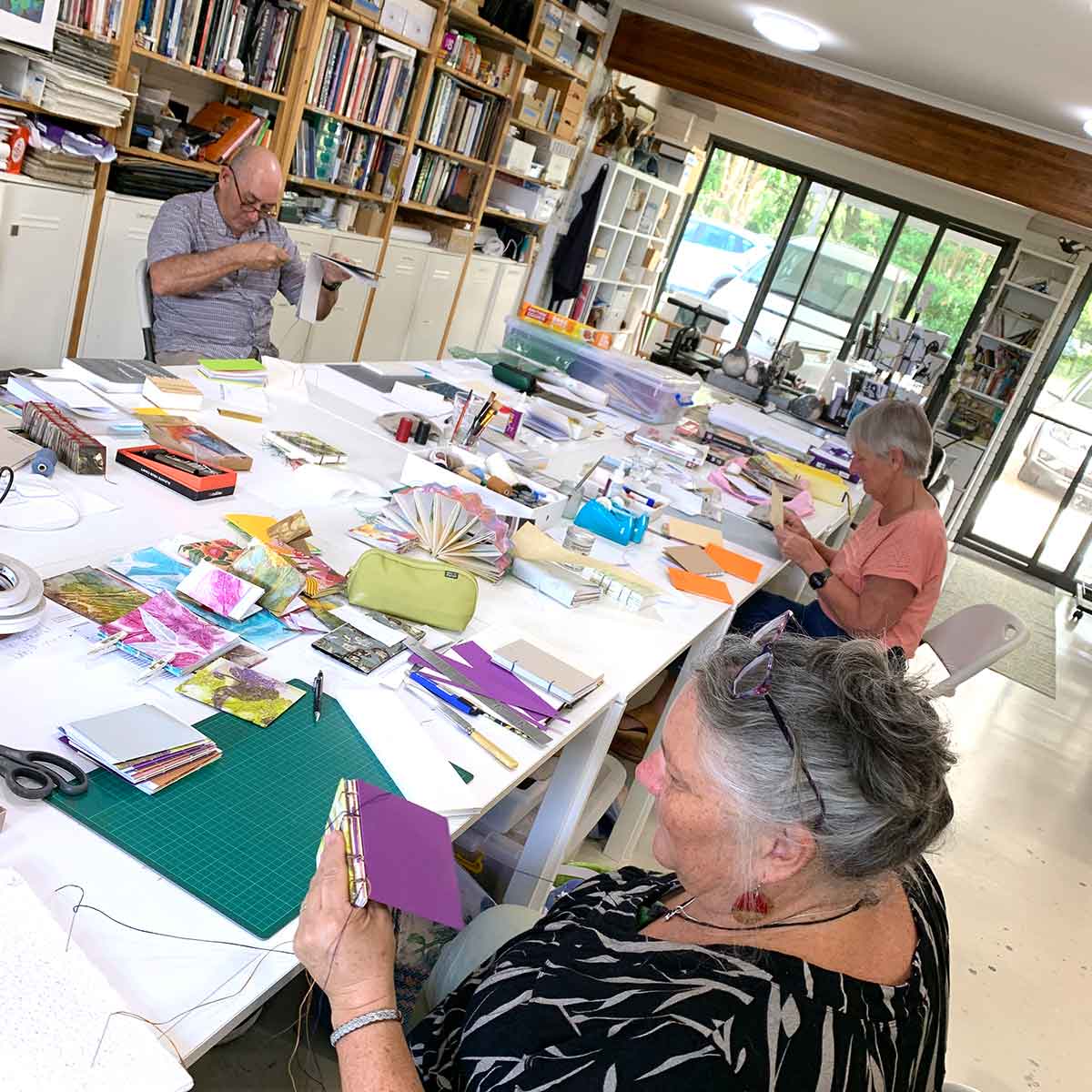
Photos-taking during your workshop will be a valuable resource for demonstrating your workshop delivery. The photos can be used in marketing (with appropriate individual permission) to provide ‘social proof’ of your workshop offering.
I have a special section in my online gallery where I have created different galleries for different workshops. Click here and look around to see the images I am capturing. Always ask permission before using someone’s photo on your social media, website, or print marketing material.
Note: it has taken 7 years to create this online gallery. I started with one workshop and built it from there. Start small and grow big!
Always ask for feedback! It is crucial to improve your workshop offering. It can also give you content to use in marketing efforts to articulate to potential students the benefit of your workshops.
THE SPOTLIGHT: MARKETING
Marketing is a beast all unto itself! This workshop scratches the top of the surface of the topic. Focus on one task at a time, and as your confidence grows, so will your marketing voice. Below are a few tools that may help you getting started.
START SMALL AND GROW BIG !!!
Email marketing tools:
- Mailchimp – free for up to 500 email contacts
- beehiiv – free for up to 2500 email contacts
- Vision6 – no free plan, but good overall value
Social media resources:
- Mailchimp – Social Media Strategy Template – wants you to sign up for their platform, but this page has some interesting tips and information
- Mailchimp – How to do Social Media Marketing Effectively
- sagefrog – 7 Social Media Marketing Tips for Beginners in 2024
- HubSpot – How to Learn Social Media Marketing: 39 Resources for Beginners
- SproutSocial – Social media marketing: What it is and how to build your strategy
STAY CONNECTED
Spend some time reflecting on what we covered during our workshop. When you’re ready, email me so we can arrange your free 30 minute workshop consultation.
What this consultation is for:
- Personalised feedback on your workshop structure and content; and/or
- Discuss any challenges you’re facing; and/or
- Ask for guidance on your workshop planning and execution strategies.
Offer Details
- Duration – 30 minutes
- Delivery – phone or Zoom
- Availability – Monday-Thursday, December 2024, February – April 2025
Note: Consultations are not available on weekends, public holidays and throughout January 2025.
Prepare Your Questions
- Pre-prepare your questions to get the most value from our 30 minutes.
- Think about the specific areas where you would like support or feedback.
And remember …
If you haven’t already shared your workshop feedback, click the button below to go back to that page …