



Social Media Basics – Pinterest
STUDENT RESOURCES
This page shares information we covered in our Play with Pinterest workshop with Arts Connect Inc..
I have also added some extra links for you to take your learnings a little further.
There is a lot of potential with Pinterest – especially if you have a website, or have your own work published on websites.
I am still discovering Pinterest and refining how I use it, but I can see huge potential and will continue to play with it.
Bookmark this page in your browser so you can keep referring back to it.
GETTING STARTED WITH PINTEREST
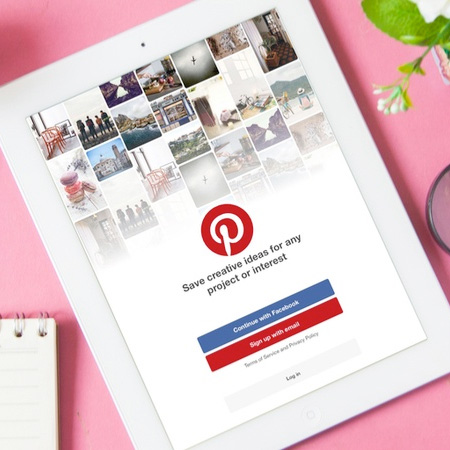
If you don’t already have an account – create one.
Create a personal account if all you want to do is find things and look at and save Pins.
Convert to or create a business profile if you want to get your things found. Then you have access to the Business Hub – where you can see your account statistics
To find out how to create or convert to a Business account ““how to change my pinterest personal account to a business account” or click here.
PINTEREST LANGUAGE
Home feed
- Your home feed is where you’ll find Pins, people, and brands that Pinterest thinks you’ll love (remember algorithms?)
- Plus Pins from the people, topics, and boards you choose to follow
- And you can search for Pins by typing in keywords into the search bar
Pins
- Pins are bookmarks that people use to save ideas they love on Pinterest
- If you click through the Pin, you can visit the website
- As you discover Pins you love, click the red Save button to save them to your boards
- You can share Pins with friends
- Once something is Pinned, it can be re-pinned and re-pinned and re-pinned …
Boards
- You Save your Pins to Boards. Think of a Board like a scrapbook or pinboard
- Name your boards and arrange them on your profile however you want
- Group Boards
- Secret Boards
Followers
- People can Follow you or one/some of your Boards
- The more you engage with or create content on Pinterest, the more likely it is that people will find and follow you
- Your Pins will come up in Follower’s home feeds (subject to the algorithm)
Profile
- All your Pins saved into your Boards, and are found in your Profile
Want more? Check out The Ultimate List of Social Media Definitions You Need To Know on the HootSuite blog.
PINTEREST ANALYTICS
Once you have a business account you can track the performance of your Pins. You can measure pin performance, follower growth, traffic referrals. All of this works to help you understand who your audience is and what they want. From there you can focus your efforts on the sorts of Pins that return the most engagement.
HOW TO PIN
Pin your own content in to Pinterest. You can Pin content from within your browser, or copy a website link and Pin it within Pinterest.
Click here to find out about how to Pin from websites.
You can also Pin within Pinterest – when you see something you like, click the red Save button and save it to one of you Boards.
USER TIPS
Pin – pin – pin!
Pin from your website. Pin your own content (images) into multiple boards within your Pinterest account.
Here are some links full of tips to help with your Pinning:
HOW TO IMPROVE YOU PINTEREST PERFORMANCE
- Pin consistently
- It’s better to Pin a similar number of times per day than to Pin a ton at once, and then nothing.
- Pin as often as works for you!
- And Pin Quality over quantity
- Use descriptions with relevant keywords in your Profile and Board descriptions
- Pinterest is a search engine – people search for what they want with key words
- Pin your own content. Don’t just re-Pin something (of yours) someone else has posted (of yours)
- Create multiple Pins form the same webpage/blog post
- Reply to comments on Pins
- Comment on other peoples Pins
- Keep adding fresh content
- Use good quality images – it’s a visual platform!
- Claim your website
MORE INFORMATION
- 11 Pinterest facts (and 30 stats) marketers must know in 2020
- 19 Pinterest Marketing Statistics Businesses Must Know in 2020
- Here Are the Best Pinterest Marketing Practices for 2020
- How to Improve Your Pinterest Reach: 4 Tips
- How to Use Pinterest for Business: 8 Strategies You Need to Know
- A Complete Guide to Using Pinterest for Business in 2020